
AI-Generated Audio Summary
I have watched it happen more times than I can count. A candidate who knows the material cold, who can explain a concept in writing without hesitation, sits down for the speaking part of an exam and freezes. The knowledge is in there. They studied. But the words do not come out the way they did at the desk, and the clock keeps running.
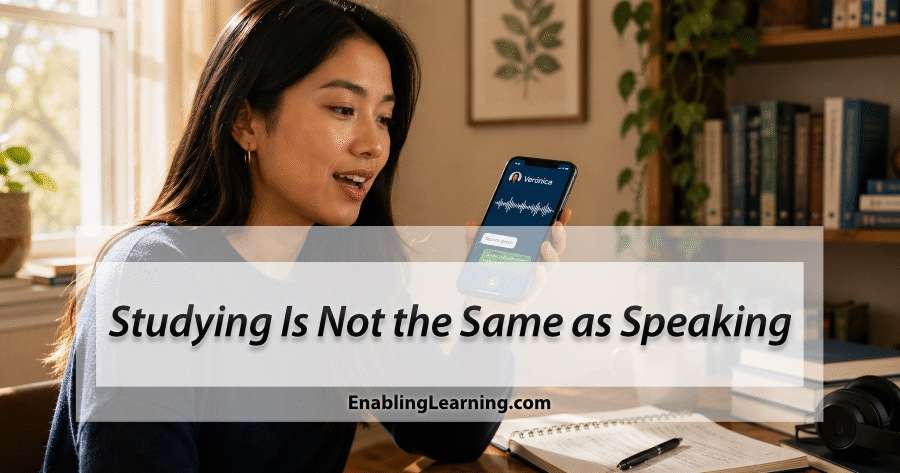
Here is the thing it took me years of preparing candidates to say plainly: studying is not the same as speaking. They are two different skills, and the speaking section measures the one that most preparation never actually rehearses.
Why the speaking section is where people freeze
Reading a passage, reviewing notes, working through practice questions, you can do all of these quietly, at your own pace, with the option to pause and look something up. A speaking section takes that away. It is unscripted. Someone, or something that behaves like someone, is on the other side. There is a clock, and there is no second draft. Recording yourself once or twice is not the same as a real partner who responds to what you actually said, asks a follow-up, and keeps the conversation moving.
You do not get better at that by reading about it. You get better by doing it, many times, until the pressure stops being the obstacle. That is the gap, and for oral and written performance, closing it has always required something most learners do not have on demand: a knowledgeable person on the other side, giving feedback on what you just did.
Here is the part we could not give you until now.
We have been building online courses for more than four years. Since 2023, when these AI tools became widely usable, we have been putting AI to work inside our platform, and that early work grew into Verónica, now a whole system rather than a feature: a real tutor trained on our own rubrics, our own feedback, and years of our experience evaluating candidates. She is not a generic chatbot pointed at a test.
For the last two years, that feedback has lived inside our online courses. If you take our BTLPT course, or our academic English course for the TOEFL today, you already record oral responses and submit writing, and you get immediate, rubric-based feedback on every attempt. That is real, it works, and it is still there for everyone who enrolls.
But feedback on a recording or an essay is not the same as a conversation. A recording does not interrupt you. It does not ask “what do you mean by that?” It does not push back. The one thing an asynchronous course could not give you, no matter how good the feedback was, is a live, two-way conversation under real pressure.
The hard part was never the feedback; it was the conversational partner. A live voice exchange that can listen, respond, and follow up in the moment is a different kind of system, and until recently you could not put one in front of a student affordably. Now you can. So we built two apps around it.
Two apps, two audiences
Both apps work the same way at their core. You talk out loud, in real time, with AI characters who hold an actual two-way conversation. They speak back, ask questions, and follow up on what you actually said, the way a phone call works. They do not cut you off; they wait for you to finish, and you can even interrupt them and the conversation keeps flowing. Both run in any browser, on a phone or a laptop, with nothing to download, and both are now featured on our homepage.
| BTLPT Speaking | Academic English Speaking | |
|---|---|---|
| Who it is for | Texas bilingual teacher candidates preparing for the speaking section of the BTLPT (Bilingual Target Language Proficiency Test). | International students and graduate-school applicants preparing for the TOEFL and other academic English exams. |
| What you do | Talk out loud in Spanish with AI characters who play the people a bilingual teacher actually faces: parents, principals, colleagues, and students. | Hold live voice conversations in English with AI tutors and the people of academic life: professors in office hours, advisors, teaching assistants, and scholarship interviewers. |
| Practice modes | 20 role-play scenarios plus timed exam modes that mirror the real format. | Timed modes that mirror TOEFL Speaking Task 1, plus open conversation practice. |
I keep meeting both of these people. The bilingual teacher candidate who is fully fluent in Spanish at the kitchen table but has never had to perform that Spanish on a formal, timed, professional prompt. The international student who reads dense academic English comfortably but has never had to speak in front of a professor under a thirty-second clock. In both cases the missing ingredient is the same: live reps.
How a session actually works
You pick a scenario and start talking. The app analyzes your speech in real time, and because so many of our speakers carry an accent, it is built to hear that accent as your voice, not as a mistake. When the conversation ends, you get feedback on a seven-trait rubric: the official BTLPT traits in one app, including oral fluency, grammar, vocabulary, appropriate code-switching, and academic register, and traits adapted from TOEFL Speaking criteria in the other. The evaluator quotes back actual phrases you said and points you to a few concrete things to work on, not one vague score.
Then there is Verónica. She remembers you across every session, which is the difference between practicing in a vacuum and practicing with someone who has been paying attention. You can ask her “what is my weakest trait?” or “which scenario should I focus on this week?” and she answers from your actual history, not from a script. The conversation practice happens in the target language, because that is the skill you are building, but Verónica will coach you in the language you think in. English, Spanish, and Mandarin Chinese are our best tested, with five more supported.
The technology underneath, and why it is a separate app
It helps to know what is happening underneath, because it explains why this is a separate app and not just another tab inside the course.
A real-time voice conversation is not one thing; it is three working together, continuously, while you speak. First, the app has to hear you accurately, the moment the words leave your mouth. Second, an advanced language model has to understand what you said, stay in character, and decide how to respond, grounded in our rubrics and knowledge base rather than improvising. Third, the app has to answer in a natural voice, fast enough that it feels like a real conversation, not the type-a-message-and-wait rhythm of an ordinary chatbot.
What sets these apps apart is not the technology; those building blocks are available to anyone today. It is the experience behind them. The educators at Enabling Learning have spent years working one-on-one with students, preparing them for exactly these exams, and that experience is what shapes how the characters behave, what the rubric rewards, and how the feedback is written. We built these apps with the technology available now, and we deliberately use the latest and most capable models for it, not the cheapest ones, because the value of the practice depends entirely on the quality of the conversation and the feedback you get back. I believe this is a great example of how the artificial intelligence technology available today opens new possibilities for learning.
That choice has a real cost. A live, two-way voice exchange means the system is listening, thinking, and speaking continuously, second by second, which is far more expensive per minute than scoring a single recording or returning written feedback. That is the honest reason we offer this as a paid add-on instead of folding it into the course price; it keeps the courses affordable for everyone. And once we decided to make it a separate app, we also chose to be generous with it. You can hold open conversations of up to ten minutes, which is enough time to practice oral proficiency the way it should be practiced: long enough to find your rhythm, push yourself, and then get real feedback on how you did. The room to practice is there, as often as you are willing to show up.
It comes down to practice
None of this replaces the work. These are practice tools, not the exam, and no honest tool can promise you a score; only the official test decides that. What they can do is give you the one thing that actually moves a speaking score: reps, under realistic pressure, with feedback you can trust, as many times as you are willing to show up. That is where confidence, vocabulary, and fluency come from. Verónica is there to process every attempt with you and help you turn it into the next one.
Get Started
Both apps are paid add-ons to our existing courses, and both start at $49: three months for $49, six months for $79, or twelve months for $129.
- BTLPT Speaking Practice, for Texas bilingual teacher candidates.
- Academic English Speaking Practice, for the TOEFL and academic English.
If you lead a teacher preparation program, an international student services office, or a college-readiness initiative and want to see how this works with real students, contact us and we will set you up with a walkthrough.
Enabling Learning LLC builds AI-supported preparation systems for bilingual education, ESL, college readiness, and academic English. Our products are designed by educators, grounded in expert-verified content, and reviewed at every stage. They are practice tools; only the official testing organization determines certification or admission.


Leave a Comment