
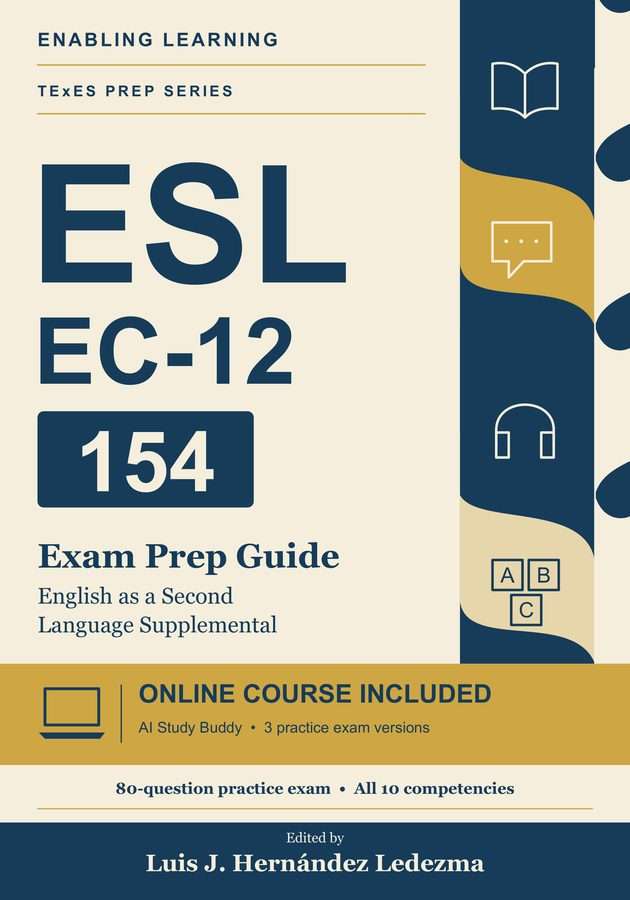
Book registration · Online course included
Register your copy of the TExES 154 ESL Supplemental Exam Prep Guide
Your book includes the full online course. Registration takes about a minute. We ask for the access code printed in the back of your book, your name and email, your Amazon order number, and one short question that only someone holding the book can answer.
What your registration opens
- 160 additional practice questions that are not printed in the book, each with a detailed explanation of the correct answer and the incorrect ones
- Three full-length online practice exam versions rotate across attempts, each with 80 questions aligned to the exam blueprint. They draw from the full course bank, three times what the book prints, and put the questions you have not seen in front of you first.
- An AI Study Buddy for every competency, grounded in the course content. Ask for a simpler explanation, a classroom example, or a practice question, then discuss your reasoning through follow-up questions.
- Domain-by-domain score tracking, a ranked study plan, and Verónica, our AI tutor, who sees your results and helps you choose what to study next. Ask her in English or in Spanish.
- A classroom example for every key term in the book’s glossary, under Key Terms in each competency
- A capstone exam and a shareable Enabling Learning course credential, earned after completing the course and passing its capstone. This course credential is separate from Texas teacher certification.
Your access runs for six months from the day you register. This is the same course we sell on this website, and it is yours at no additional cost.
Register your book
After registering, open a lesson and ask the AI Study Buddy, “Explain this concept with a classroom example, then ask me a practice question.” After an assessment, ask Verónica, “Based on my results, what should I review next?”
Register your copy
TExES 154 ESL Supplemental Exam Prep Guide
No Amazon order number, or would you rather send a receipt? I have my receipt
One quick question about your book
Because the course is included with the book, we confirm you have a copy.
Capitalisation and punctuation do not matter. You have three tries.
Let's do this by hand
No problem, and please don't buy anything else. You bought the book, so you get the course. Send us a photo or screenshot of your Amazon order and we'll open your access, usually within one business day.
Your receipt is stored privately and is only seen by our team. Prefer email? Contact us.
You're in
How it works
- Find your access code. It is printed in the back of your book, in the section called Register Your Copy.
- Enter your name, email, and Amazon order number. Your order number is on your Amazon receipt and in Your Orders on Amazon; it looks like 123-4567890-1234567.
- Answer one question about the book. We will ask for one word from the practice exam, for example the last word of a particular answer choice. Look it up and type it in. You get three tries in case of a typo. Your access opens immediately.
The access code is printed in every copy of the book, so it is not a password and it does not identify you on its own. The question about the book is how we confirm you have a copy, and it is what lets us include the course instead of raising the price for everyone.
If registration does not go through
Do not buy anything else. Choose I have my receipt on the form, upload a photo or screenshot of your Amazon order, and we will open your access by hand, usually within one business day. You bought the book, you get the course.
Questions
I already have an Enabling Learning account.
Register with the same email. The course is added to your existing account and you log in as usual.
I do not have my Amazon order number.
Choose I have my receipt on the form and send a photo of your receipt, your Amazon order page, or the book with your name. We will open your access by hand.
Where do I log in afterwards?
At enablinglearning.com/login. New accounts receive an email with a link to set a password.
Who do I contact if I need help?
Use the contact page or email info@enablinglearning.com. A real person reads it.